

Custom software
When standard software does not fit your business.
We develop web applications, portals and interfaces that reflect your workflow. First a prototype your team can use to try out the process, then implementation in stages.
- Prototype first, then investment
- Development in stages
- Code and documentation handed over
- Usage rights settled upfront
Who this service is for
For processes that standard software does not cover: customer portals, internal dashboards, booking and administration systems, interfaces between programs, or replacing Excel lists and legacy applications. For common processes such as accounting or time tracking, standard software is usually the better choice.
What we deliver
- Requirements clarification and clickable prototype or MVP
- Web application built in stages with regular demos
- Roles and permissions concept
- Connection of existing systems via interfaces and migration of cleaned-up data from Excel or legacy systems
- Tests with real data
- Handover of code and documentation; usage rights are settled by contract in advance
- Operation, updates and further development by arrangement
What we need from you6
- A contact person who knows the processes and makes decisions
- Description of the requirements and examples from everyday work
- Access to existing systems, interfaces and data (Excel, legacy system)
- Staff who test the prototype and each stage
- Decisions on the scope of the first version, hosting and operation
- Time for feedback; quick decisions shorten the project
Requirements and limits5
- Custom software needs to be maintained; operation and further development should be planned in from the start.
- Without a contact person who knows the processes and makes decisions, every software project drags.
- The quality of the legacy data determines the effort of the data migration.
- Costs and duration are only committed to once the scope has been clarified.
- If an integration does not make technical sense, we say so early. If standard software is a better fit, we recommend it.
The problem
You bend your workflow until it fits the program
Standard software can do a lot. But if your team takes three detours every day to make the program fit the business, custom software development is worth it. We build web applications with exactly the features you use, and start with a prototype so you can see how it feels before the big investment.
Off-the-shelf software with workarounds
SchematicEvery handover is a manual step: retyping, copying, asking around.
Custom solution
SchematicYour business's workflow is the structure of the application. Data is entered once.
- 01
Standard software doesn't fit
You bend your process until it fits the program. What sets you apart from the competition is the first thing to get lost, and special cases end up in notes and extra spreadsheets.
- 02
Excel as a database
The spreadsheet grows, three versions are in circulation, and everyone can change everything. At the latest when a number is wrong, nobody knows who changed it or when.
- 03
Old application, nobody dares touch it
The developer is gone, there is no documentation, the technology is outdated. Even small changes are considered risky.
- 04
Programs that don't talk to each other
The order number is retyped from the inventory system and entered into the invoicing software. That costs time and creates typos in places that become expensive later.
Scope of services
What we develop
Sample interfaces of the typical building blocks. Every application is tailored to your workflow.
Internal dashboards
Open cases, utilization, and key figures at a glance, from your real data instead of hand-maintained spreadsheets. Each role sees what it needs for its work.
Customer portals
Your customers see order status, documents, and invoices themselves and submit requests directly in the portal. This relieves phone and inbox and makes your work visible.
Booking and management systems
You manage appointments, rooms, equipment, vehicles, or jobs digitally instead of on a wall calendar. With rules for availability, reminders, and a history that stays traceable.
Quoting and order tools
Calculation according to your rules: pricing logic, variants, and approvals modeled the way you actually calculate. A quote becomes an order with one click, without entering it again.
Interfaces and data platforms
We connect your programs via APIs and bring data together in one place. That gives you one reliable source instead of several systems with different states.
MVPs and modernization
Either a stripped-down first version of your product idea that you test with real users, or an old application that is brought step by step to a maintainable, current state.
Which process costs your team the most time today?
Describe it in the intro call. We will tell you honestly whether custom or standard software fits better.
Use cases
Where custom software pays off
- Companies with special workflows
- Teams that handle everything in Excel today
- Founders with a product idea
- Businesses with an outdated in-house application
Job management at a trades business
Who is on which site, what material is missing, what has been accepted? An internal tool replaces slips of paper, shouted requests, and long email chains, on mobile at the construction site too.
Client portal for a tax firm
Clients upload receipts, see the processing status, and find their documents in one place. The firm no longer has to request every document by email.
Booking system for rooms and equipment
A training provider or a shared practice manages rooms and equipment digitally. Double bookings are prevented, and the people responsible are notified automatically.
MVP for a product idea
A founder first tests the core function with a handful of pilot customers. Only once the idea holds up does the software grow with further features.
From idea to product
You see results before you commit
Requirements become clearer through hands-on use. That is why every project starts with a prototype and grows in stages.
Prototype instead of a requirements document
We clarify goals and scope in conversation.
- 1
Requirements
Goals and success metricClarify requirements and goals: what should the software be able to do, and how do we measure the benefit?
- 2
Prototype
Clickable prototype or MVPClickable prototype or MVP that your team uses to try out the workflow
- 3
Concept
Architecture and scope of v1Define architecture and scope of the first version
- 4
Development
Demo after each stageDevelopment in stages with regular demos
- 5
Testing and handover
Code and documentationTests with real data and handover of code and documentation
- 6
Rollout
Operation and further developmentLaunch, operation, and further development as needed
Architecture example
How the parts of an application fit together
This is how the parts of a typical application connect. Click on a layer.
Schematic example, not a specific customer system
Interface
The web application your team and your customers work with. It shows only what each role needs for their work.
- Dashboards, forms and lists following your workflow
- Each role sees its own view
- Works in the browser, including on mobile
Example flow: User clicks “Approve” → request goes to the backend
Integration and prerequisites
New software rarely stands alone. We connect existing systems as far as they offer interfaces or interfaces can be added. In the conversation we first clarify which data needs to go where.
Product quality
Quality, security, and operations
We plan maintainability and security in from the start; adding them afterwards rarely works well. The same goes for operations: where the software runs and who looks after it is settled before launch.
- Access
- Roles and permissions: who can see and change what
- Maintainability
- Documentation and maintainable code that other developers can take over
- Running
- Backups, monitoring and updates during live operation
- Security
- Security concept tailored to your data, hosting by arrangement
- Data protection
- Privacy-conscious design as a guideline; legal assessment by your legal adviser
Real projects
What custom software looks like with us
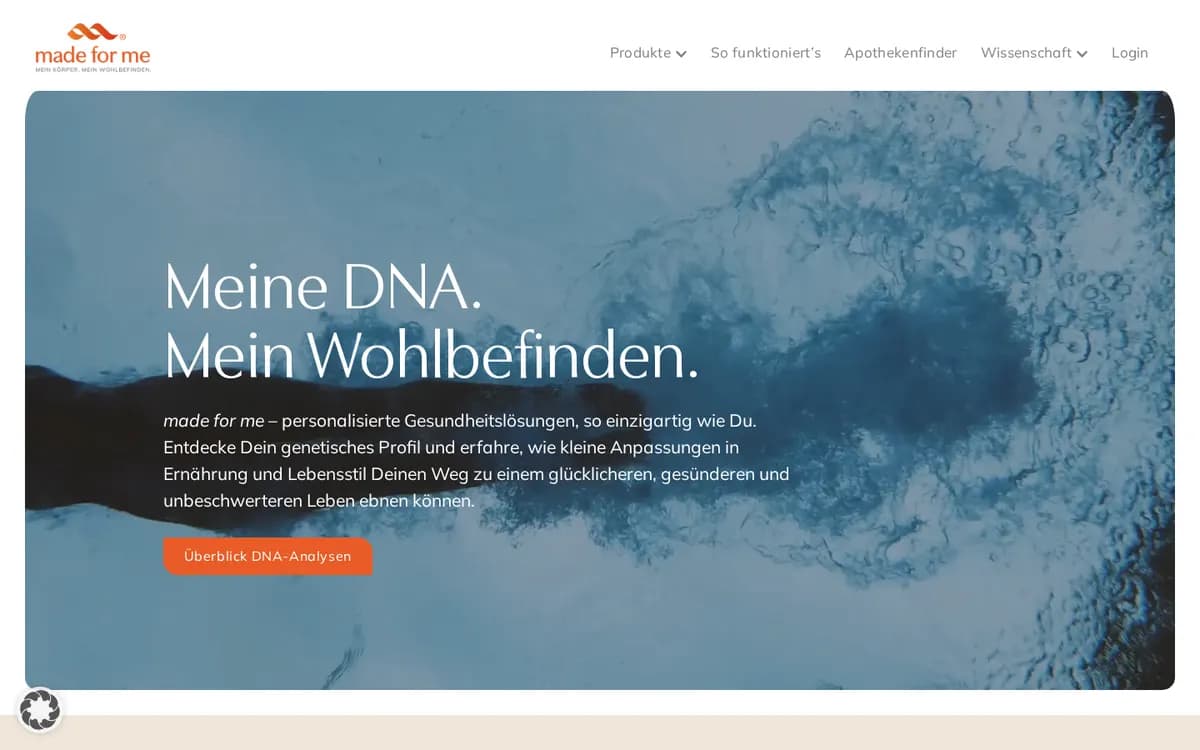
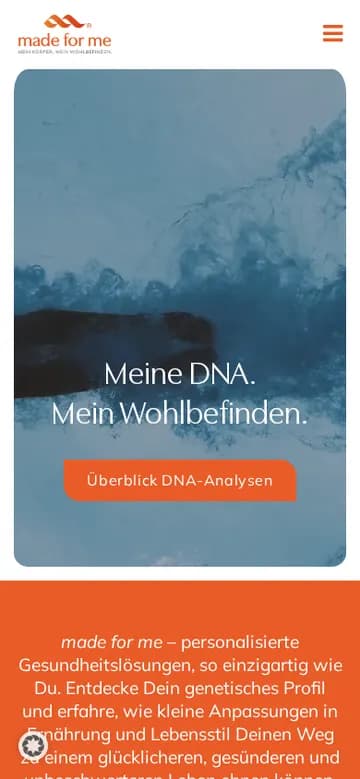
Health · DNA analysis
madeforme.health
Portal for personalised DNA analyses: connection to the lab, evaluation and presentation of results, plus order management and a marketing cockpit.
- Lab integration with evaluation
- Reading out DNA analyses
- Order management
- Marketing cockpit
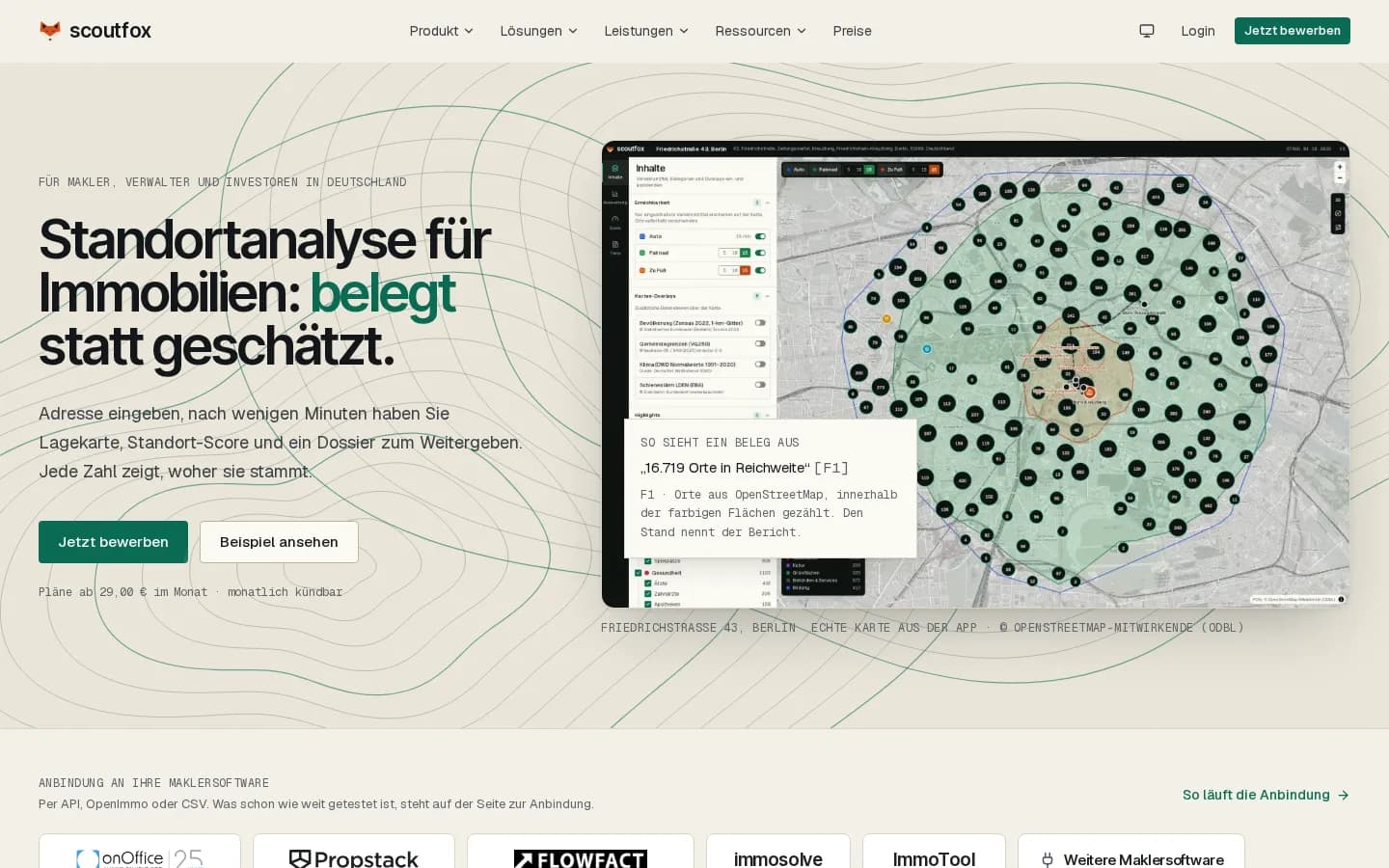
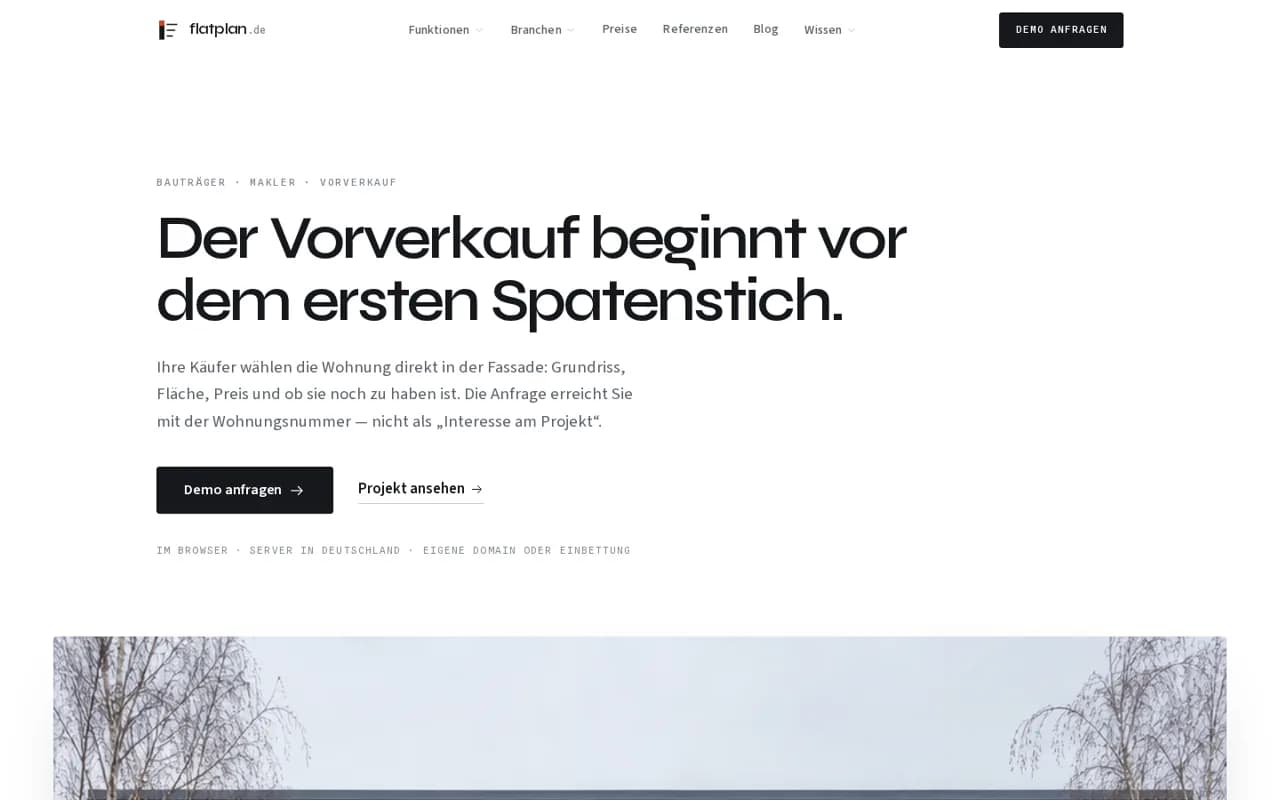
Project model and costs
What determines the effort
There is no flat price. After the requirements are clarified, you receive a written quote in stages, with separate items.
Factor 1
Scope and number of roles
Factor 2
Interfaces to other systems
Factor 3
Data volumes and legacy data
Factor 4
Hosting and operating model
- One-off
- No flat price. One-off costs cover requirements clarification, prototype and development; a quote in stages after the requirements clarification is the usual approach.
- Ongoing
- Ongoing: hosting, backups, monitoring, updates, third-party service licenses and further development. Scope and terms are agreed per project and shown in the quote separately from development.
Prerequisites
What we need from you
- A contact person who knows the processes and makes decisions
- Description of the requirements and examples from everyday work
- Access to existing systems, interfaces and data (Excel, legacy system)
- Staff who test the prototype and each stage
- Decisions on the scope of the first version, hosting and operation
- Time for feedback; quick decisions shorten the project
Limits
When it does not fit or takes longer
- Custom software needs to be maintained; operation and further development should be planned in from the start.
- Without a contact person who knows the processes and makes decisions, every software project drags.
- The quality of the legacy data determines the effort of the data migration.
- Costs and duration are only committed to once the scope has been clarified.
- If an integration does not make technical sense, we say so early. If standard software is a better fit, we recommend it.
Result
What you get out of it
The software reflects your process
Less retyping and fewer errors between different programs
Your customers and your team find information without having to ask
A foundation that can be extended later
Clear arrangement on code and usage rights
Actual results depend on the starting point, scope and implementation. We do not give guarantees of success.
Concept studies
Concept studies on Custom software
Detailed scenarios for typical starting points and possible approaches. They are not reports on client projects.
- Expert analysis · not a client project
Software operations · 13 min
The software is running. So who looks after it now?
Custom software is not finished on launch day, but ready for operation. This analysis shows what has to be settled on an ongoing basis afterwards so that it stays secure, recoverable and transferable.
Read concept study → - Scenario · not a client project
Booking system · 14 min
Two teams, one meeting room, zero double bookings
A booking system for rooms, equipment and people stands or falls with its logic for availability, conflicts and edge cases, not with its interface.
Read concept study → - Scenario · not a client project
Replace Excel · 14 min
The spreadsheet nobody may touch
A grown Excel landscape can be replaced if you first capture its invisible rules, clean the data honestly and leave Excel where it is strong.
Read concept study → - Concept study · not a client project
Customer portal · 14 min
The customer asks about the status for the third time: when your own portal is worth it
A customer portal replaces email ping-pong with a shared status, but it requires a clean permissions concept and a rollout that actually brings customers along.
Read concept study → - Expert analysis · not a client project
MVP instead of a requirements specification · 13 min
Eighty pages of requirements, and by day one half of them are already wrong
A small, working core with real users clarifies more than a long requirements document, but it has its own limits, which you should know beforehand.
Read concept study → - Expert analysis · not a client project
Interfaces and APIs · 14 min
Two systems, one record, three versions of the truth
An interface is less a cable between two programs than a contract about meaning, timing and failure cases, and that is exactly where its quality is decided.
Read concept study →
FAQ
Frequently asked questions
When does custom software development pay off?
When your process sets you apart from the competition, or standard software permanently forces you into workarounds. Warning signs are Excel lists maintained by several people, or repeatedly retyping data between programs. For common processes, standard software is often cheaper and quicker to introduce. We check this together with you in the intro call, and we will tell you if a ready-made solution fits better.
Why do you start with a prototype or MVP?
Because requirements only become sharper through trying things out. With a clickable prototype, your team quickly sees what is missing, what is superfluous and where the process gets stuck. That saves costly changes later. An MVP goes one step further: a small, working first version that you test in practice before investing in the full scope.
What does custom software cost?
It depends on scope, roles, interfaces and data volumes, which is why there is no flat price. Development and setup are one-off costs; hosting, maintenance and licenses are ongoing. We show the two separately. It is common to split the scope into stages: first a prototype or first version with a clearly defined effort, after which you decide on the next step. After the requirements clarification you receive a written quote that lists these parts separately.
How long does development take?
A prototype can often be shown within a few weeks; a first production version usually takes a few months, depending on scope. What matters is how quickly decisions are made and how clean the data from legacy systems is. We work in stages, so you see results regularly instead of only finding out at the end whether it fits.
Who owns the code?
We settle this in writing in the contract before the project starts. Our aim is that you do not become dependent on us: code and documentation are handed over in such a way that other developers can work with them as well. We discuss in advance exactly which usage and ownership rights apply. The legal review of the contract clauses is up to your legal adviser.
How do operation and maintenance work after launch?
Software needs care: security updates, backups, monitoring and small adjustments when processes change. We agree the scope and terms for operation and further development per project, either with us or with a service provider of your choice. Documentation and maintainable code are part of it from the start.
Can existing systems and Excel data be migrated?
In most cases, yes. If your current programs offer interfaces, or interfaces can be added, we connect them. We migrate data from Excel or legacy systems after cleaning it up, because duplicate or contradictory entries should not end up in the new system. Where an integration does not make technical sense, we say so early.
Custom or standard software: which is better?
Both have their place. Standard software is available sooner, is maintained by the vendor and takes less effort at the start. Custom software pays off when your process is unusual, when several systems are to be connected, or when customers get their own portal. Sometimes a mix makes sense: standard software as the basis, complemented by a small custom tool for the gap.
Keep reading
Related services
Tell us what software you are missing today.
We clarify goals and scope in the intro call, and we will tell you honestly if standard software is a better fit.